goc4d Brings Indonesia Games Into One Lobby
goc4d puts Live Roulette Grand, Aviator Crash Game, slots and football markets behind one account, with DANA and QRIS beside the cashier path.
Casino and Slots From One Home
Casino and slots sit in separate Home rows, so you can move from a quick slot search to dealer tables without rebuilding your session.







Six Game Paths Across goc4d Home

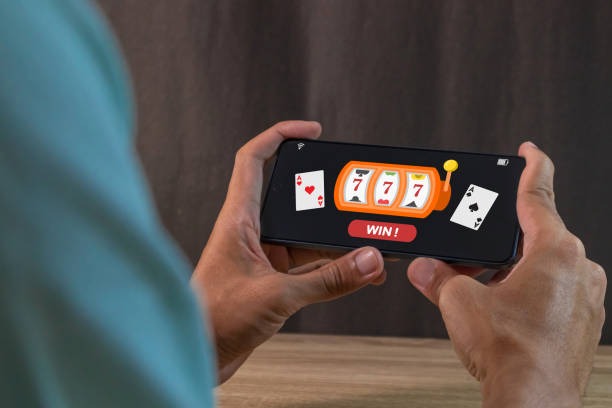
Six clear paths make the Home lobby easier to scan: slots, live tables, crash games, fishing rooms, football markets and other sports. Semarang Night Spins gives you a direct slot reference, while Fishing War Mobile Play is arranged for touch controls. Live Roulette Grand opens a dealer-table view with the video feed, betting area and round status together. Aviator Crash
Game sits in its own fast-round area rather than being mixed into standard reels. The sportsbook separates football, badminton and basketball markets, helping you move between casino and sports without leaving Home. Use the category row first, then narrow the visible cards with search.
Four Wallets and Three Sports Categories

Three Steps From Home to Lobby
Three account steps stand between the Home page and your personal lobby. Start by entering the requested account details, then provide the phone number you control. We use a clear phone verification stage before account access, so you can confirm which number belongs to the profile. Once that check is complete, one account opens the casino categories, sportsbook and local
wallet area. Your login returns you to the same main navigation rather than creating separate credentials for each section. Before submitting anything, check the displayed details carefully; a correct phone number matters later if access stalls or a payment status needs account-level checking.
Mobile Casino and Slots Within Reach
DANA and QRIS From Home Cashier
DANA and QRIS give you two recognisable routes from the Home cashier, while OVO and GoPay appear with their own wallet status. Choose the method first, enter the requested value and confirm the transfer in the relevant wallet flow. The cashier status changes after the wallet or banking rail reports the transaction, so keep the receipt until that update appears.
Bank transfer and virtual account routes add BCA, BRI, Mandiri and BNI context when a wallet is not your choice. Withdrawal requests are linked to your verified account details, and a receipt or status issue can be raised through the help path beside the cashier.
Four Checks Behind Your Home Session
Four operating checks support the route you see from Home: phone verification, visible wallet naming, transaction status and local access wording.
Phone verification
Your phone is checked before account access. This connects the profile to a number you control and gives the account help path a clear reference if login access later stalls.
Named wallet routes
We display DANA, OVO, GoPay and QRIS by name before transfer selection. You can identify the intended rail directly instead of sending funds through an unclear wallet label.
Receipt matching
Cashier status can be compared with your payment receipt when an update is delayed. Keep the reference visible until the wallet, virtual account or bank transfer record matches.
Local access wording
Access depends on local law. We state this directly because availability can differ by location, and you should check the terms linked from Home before creating or using an account.

Login to Lobby on One Screen
One mobile path carries you from login to the Home lobby, then onward to games or the cashier. The category row is designed for touch movement, and slot cards stack vertically so you can browse without shrinking the page. When you open Fishing War Mobile Play, the game area follows the screen direction supported by your device; returning takes you
back to the lobby rather than a separate landing page. QRIS is placed within the mobile cashier path, reducing the number of unrelated screens before payment confirmation. For live tables, a stable connection helps the dealer video and round status remain aligned during the session.
Six Ways Through the Home Cashier
Six payment routes cover wallets, QR payments and Indonesian banking context from the Home cashier.
Live Casino and Slots Side by Side
Live casino and slots occupy neighbouring Home categories, making it practical to leave a reel game and check baccarat, roulette, Dragon Tiger or blackjack context.
Phone Verification Protects Home Access

A verified phone number gives your Home login a clear account reference before casino, sports and wallet activity begins. Use a number you control, check each digit before confirmation and keep your credentials separate from payment messages. We never need you to share a wallet security code inside a game screen. If the login details and verified phone do not
align, follow the account help path rather than opening another profile, because duplicate details can complicate status checks. Transaction receipts should also remain private except when the cashier help process requests the relevant reference. Policy links from Home explain the terms that apply to access and account use.
Three Help Paths Near Your Account
Three common issues have direct reference points around Home: login access, wallet status and payment receipt matching. Start with the area where the issue appears instead of repeating the action. For login trouble, use the account path connected to your verified phone. For a wallet delay, check whether DANA, OVO, GoPay or QRIS shows a pending status in the cashier. For a transfer mismatch, keep the receipt and use the payment status route beside that record. This keeps your request connected to the relevant account or transaction and reduces confusion caused by duplicate submissions.
Login access help
When login stalls, follow the account help path tied to your verified phone. Check the number and profile details first, and avoid creating another account for the same access issue.
Wallet status help
If DANA, OVO, GoPay or QRIS has confirmed a transfer but the cashier has not changed, retain the wallet reference and open the status check beside the payment record.
Receipt matching help
For bank transfer or virtual account mismatches, compare the current request details with your receipt. The transaction reference helps connect the cashier record to BCA, BRI, Mandiri or BNI context.
Home Links for Local Access Terms
Local availability is a decision to check before account creation, and access depends on local law. The Home policy path points you toward the terms that govern account use, game access and transaction handling. Read those links before submitting personal details or moving money through DANA, OVO, GoPay, QRIS, bank transfer or virtual account. The same navigation gives you a
return route to casino categories and the sportsbook after reading. We keep eligibility language separate from promotional content so the condition remains clear. If you cannot access a section, do not create repeated profiles; use the account help path connected to your existing details.
Seven Questions About goc4d Home
Seven practical questions cover what you can reach from goc4d Home before opening an account. They address the lobby, phone verification, mobile use, local wallets, bank routes, sports categories and help when a status stalls. The answers use the same labels shown across the page, including DANA, OVO, GoPay, QRIS and the verified phone path. Read these points alongside the terms linked from Home, especially when checking local availability. Access depends on local law, and payment or game availability can also vary according to the choices displayed for your account.